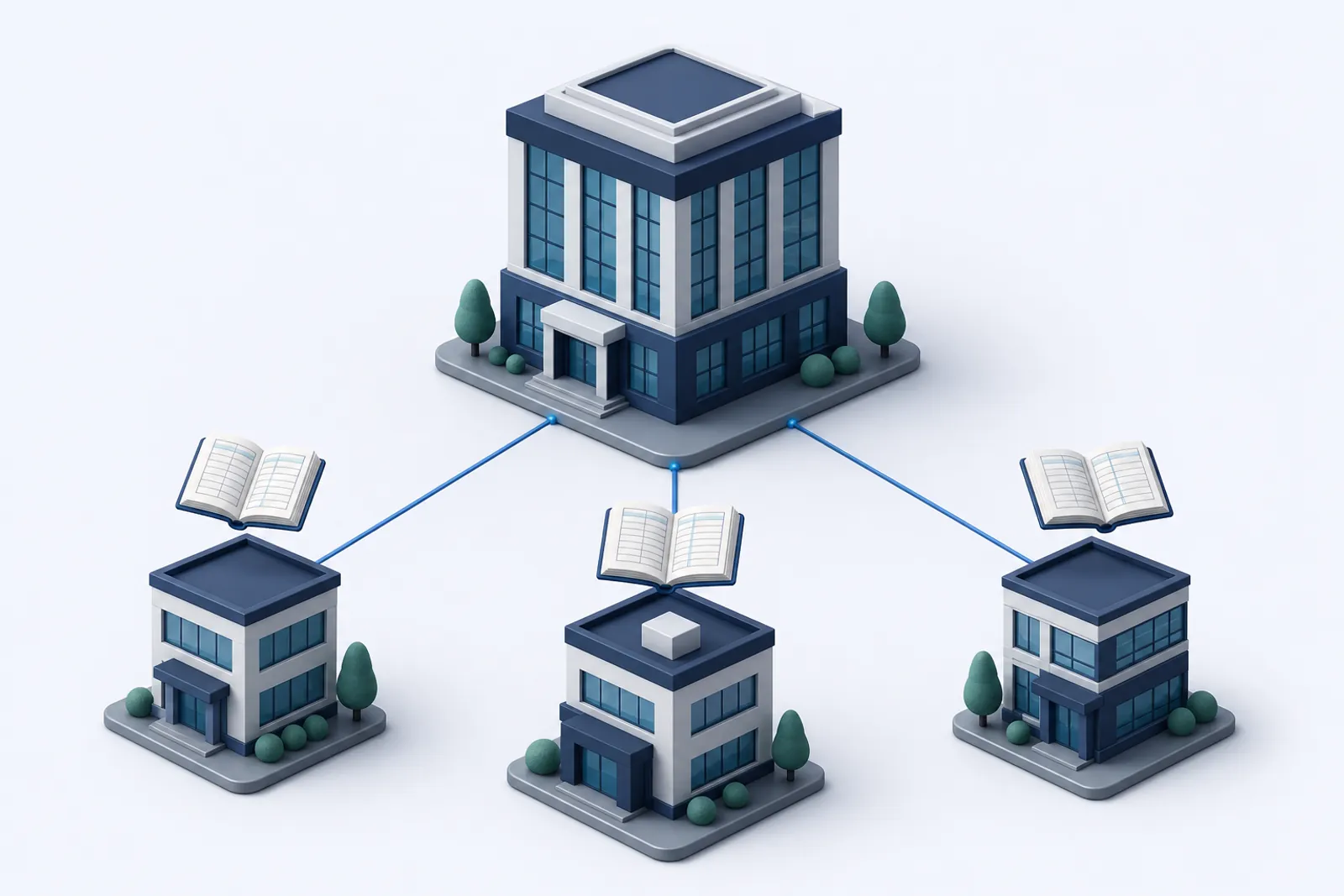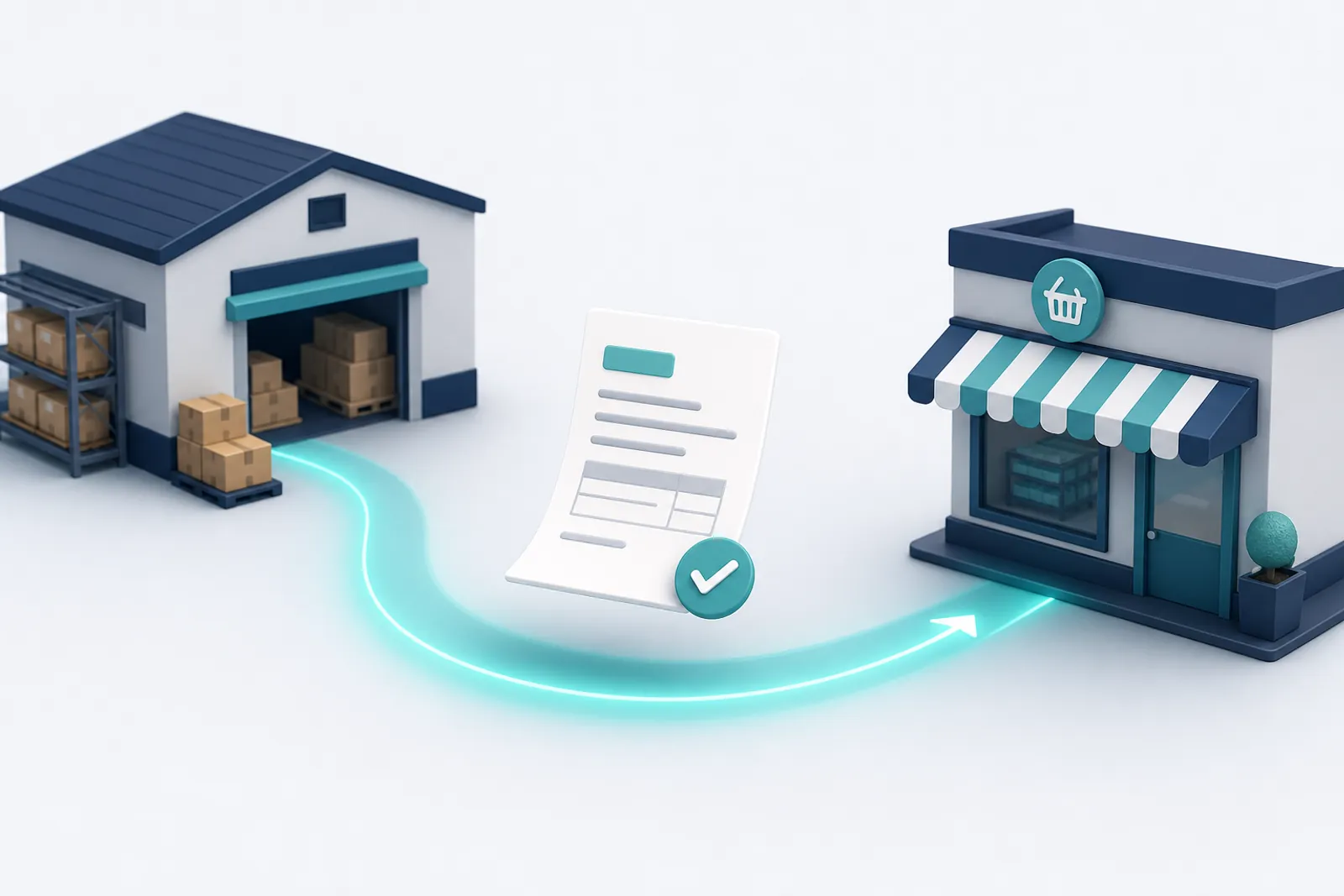
Intercompany transactions automation records the second half of every deal between related companies for you. When Alpha Wholesale posts a sales invoice to Beta Retail, the purchase invoice appears in Beta's books with the same amount, date and reference, without anyone typing it twice. The result is intercompany balances that agree every day, not just after a painful month-end hunt.
This guide shows how it works in practice with a complete worked example, both vouchers, the workflow that connects them, and how to test and reconcile it. If you are still deciding how to structure your entities, start with the multi-entity accounting guide.
What are intercompany transactions?
Intercompany transactions are sales, purchases, loans, service charges, cost recharges or payments between two entities that belong to the same group. Each one must be recorded twice: once in the seller's ledger and once in the buyer's ledger.
Common examples in a small group:
- A wholesaler sells inventory to a sister retail company.
- A head office recharges rent or payroll to operating subsidiaries.
- A parent lends cash to a subsidiary and charges interest.
- One company pays a supplier invoice on behalf of another.
- A service company bills a management fee every month.
In the group's consolidated statements, all of these are eliminated. In each company's own statements, they are real revenue, cost, receivables and payables, and they must match.
Why manual intercompany accounting breaks
Manual intercompany accounting fails because two people record one event at different times, from different documents, in different ledgers. The mismatches are predictable:
| Problem | Typical cause | Month-end effect |
|---|---|---|
| Missing entry | The buyer never received the invoice | Receivable with no matching payable |
| Wrong amount | Typo, or VAT included on one side only | Small unexplained difference |
| Wrong period | Seller books on 31 March, buyer on 2 April | Difference that "fixes itself" next month |
| Wrong party | Buyer posts to a general supplier account | Payable exists but is not visible as intercompany |
| Duplicate | Invoice entered twice after an email reminder | Payable larger than receivable |
Each difference has to be found before consolidation and eliminations can happen. With 50 intercompany invoices a month, that is hours of matching.
How intercompany automation works in Ledgeriano
Ledgeriano automates intercompany journal entries with workflows: rules that watch one business and write to another. A workflow has three parts.
- Trigger. An event in the source business: an entry is created, posted or reversed. Most intercompany rules use "posted", so drafts that are still being reviewed do not create anything.
- Conditions. Filters that decide whether this particular entry should be copied. You can match all conditions or any of them.
- Actions. What to do in the target business: create an entry from a template, mirror the entry through an account map, or call a URL (a webhook to another system).
Condition fields you can use
| Field | Operators | Example |
|---|---|---|
| Voucher type | equals, not equals, in, not in | Voucher type equals SAL |
| Party | has, does not have | Entry has party C001 |
| Account | has, not has, has debit, has credit (prefix match) | Has credit on 41 |
| Total | equals, greater than, less than and so on | Total greater than 1,000 |
| Description or reference | contains, starts with, equals, empty | Reference starts with INV |
| Tag | has, does not have | Has tag "intercompany" |
| Currency, kind, source | equals, not equals | Currency equals USD |
| Expression | a custom true/false formula | debit("1111") > 0 and total < 100000 |
Amount formulas and template tags
Template lines take an amount expression instead of a fixed number. The most useful ones:
total: total debits of the source entry.credit("4101"): sum of credits on accounts whose code starts with 4101.debit("11"),net("11"): debits, or debits minus credits, for a prefix.round(x, 2),abs(x),min(a, b),max(a, b),percent(x, 9).
Descriptions and references accept tags such as {{entry.number}}, {{entry.reference}}, {{entry.date}} and {{source.business}}. See the workflows page for the full list.
A worked example: wholesaler sale to a retail sister company
Here is the full chain, using the IFRS chart of accounts template and two businesses: Alpha Wholesale LLC (the seller) and Beta Retail Store (the buyer). In Alpha's books, Beta is customer C001. In Beta's books, Alpha is supplier S001.
Step 1: Alpha posts the sales voucher
On 5 March Alpha sells goods to Beta for 36,000 USD on invoice INV-1001. The goods cost Alpha 24,000 USD. The accountant posts one SAL voucher:
Alpha Wholesale LLC, voucher type SAL, reference INV-1001, status posted
| # | Account | Party | Debit | Credit |
|---|---|---|---|---|
| 1 | 1111 Trade receivables | C001 Beta Retail Store | 36,000 | |
| 2 | 4101 Sales of goods | 36,000 | ||
| 3 | 5101 Cost of goods sold | 24,000 | ||
| 4 | 1124 Merchandise inventory | 24,000 | ||
| Total | 60,000 | 60,000 |
Notice that the voucher total is 60,000, not 36,000, because it includes the cost of sales. That is why the workflow below uses credit("4101") rather than total: Beta owes the sale price, not the sum of all debits.
Step 2: the workflow that connects them
The workflow is defined once:
- Source business: Alpha Wholesale LLC
- Trigger: entry posted
- Conditions (match all): voucher type equals SAL; entry has party C001
- Action: create entry in Beta Retail Store
- Voucher type: PUR, status: posted, date: same as source
- Description:
Purchase from {{source.business}}, invoice {{entry.reference}} - Reference:
ALPHA-{{entry.number}} - Line 1: account 1124, debit, amount
credit("4101"), description "Merchandise received" - Line 2: account 2111, credit, amount
credit("4101"), party S001, description "Payable to Alpha"
Step 3: Beta receives the purchase voucher automatically
Seconds after Alpha posts, this appears in Beta's journal:
Beta Retail Store, voucher type PUR, reference ALPHA-{Alpha's entry number}, status posted
| # | Account | Party | Debit | Credit |
|---|---|---|---|---|
| 1 | 1124 Merchandise inventory | 36,000 | ||
| 2 | 2111 Trade payables | S001 Alpha Wholesale LLC | 36,000 | |
| Total | 36,000 | 36,000 |
The entry carries the tag "workflow" and stores the source business and source entry number, so anyone looking at it in Beta can trace it back. Beta's inventory is recorded at 36,000, which is Beta's cost. The 12,000 margin is Alpha's profit and would be eliminated only in consolidated statements if Beta still held the goods.
Tip: Keep the COGS lines out of the target entry. The buyer's cost is the seller's selling price, so formulas based on the revenue account (41 or 4101) are almost always right, while
totalwould double count.
Template vs mirror: which action should you use?
A template action builds a new entry from lines you define, while a mirror action copies every line of the source entry and translates each account through a map. Use templates when the two sides look different (sale vs purchase), and mirrors when the target entry should look like the source.
| Template (create entry) | Mirror entry | |
|---|---|---|
| Lines | Defined by you, with amount formulas | Copied from the source, one by one |
| Accounts | Fixed codes per line | Account map, with prefix rules like 62* and a default account |
| Sides | You choose debit or credit | Same sides, or swapped |
| Amounts | Any expression | Same amounts, or scaled by a multiplier |
| Unmapped lines | Not applicable | Fail, or skip if "skip unmapped" is on |
| Best for | Sale to purchase, fee recharges, loans | Cost recharges, branch copies, percentage allocations |
The same Alpha to Beta rule could be written as a mirror: map 1111 to 2111 and 4101 to 1124, turn on "swap sides" and "skip unmapped" (so the COGS lines are ignored), and set party S001. It works, but the template is easier to read six months later.
A mirror with a multiplier shines for allocations. Example: head office recharges 40% of every rent voucher to a subsidiary with multiplier 0.4 and a map 6205 to 6205, 1103 to 2113 (due to related parties).
Other intercompany flows worth automating
Almost any recurring deal between group companies can be automated, as long as the source entry has something reliable to match on (a voucher type, a party or an account). These are the patterns we see most often:
| Flow | Source entry (seller or lender) | Condition | Target entry (buyer or borrower) | Amount formula |
|---|---|---|---|---|
| Management fee | Dr 1111 / Cr 4102 services, party = subsidiary | Account has credit on 4102 and party matches | Dr 6208 professional fees / Cr 2113 due to related parties | credit("4102") |
| Intercompany loan | Dr 1115 due from related parties / Cr 1103 bank | Account has debit on 1115 | Dr 1103 bank / Cr 2113 due to related parties | debit("1115") |
| Loan interest | Dr 1115 / Cr 7201 interest income | Account has credit on 7201 and tag "intercompany" | Dr 7301 interest on borrowings / Cr 2113 | credit("7201") |
| Payment for a sister company | Dr 1115 / Cr 1103, description names the supplier | Party matches and voucher type PAY | Dr 2111 supplier / Cr 2113 due to related parties | total |
Two habits make these flows reliable. First, use dedicated "due to" and "due from" accounts (2113 and 1115 in the IFRS template) for anything that is not a trade invoice, so the balances are easy to find. Second, tag entries with "intercompany" when the account alone is not enough to identify them; a tag condition is cheap and explicit.
Different currencies on each side
If Alpha keeps USD books and a subsidiary keeps AED or IRR books, the target entry keeps the source currency by default and the target converts it with its stored exchange rate for that date. You can instead record the target entry directly in the target's base currency. Either way, differences caused by rate movements belong in 7103 foreign exchange gains and losses, not in the intercompany account; the multi-currency accounting guide covers revaluation.
Loop protection, permissions and idempotency
Automation between companies must never create an endless chain or a duplicate. Ledgeriano builds several guards in:
- Workflow-created entries do not trigger other workflows unless you switch on "allow chained" for that workflow.
- Maximum depth of 3. Even with chaining allowed, a chain stops after three hops.
- No self-triggering. A workflow never runs on an entry that it created itself.
- Idempotency. Each action uses a key made of workflow, action, source entry and event, so running it again for the same entry returns the existing entry instead of a second copy.
- Permissions. The workflow runs as the user who created it. That user needs view access in the source business and create access in the target. If they lack permission to post in the target, the entry is saved as a draft for someone else to review.
Warning: If Beta also has a workflow that turns purchases from S001 into something in Alpha, do not enable "allow chained" on both. Design each flow to go one way, and use a separate workflow for the return path (for example payments).
Testing a workflow before it goes live
Every workflow can be dry-run against an existing entry without writing anything. Pick an entry by number (or use the latest one) and Ledgeriano shows:
- Each condition and whether it passed.
- The exact payload of each action: date, voucher type, lines, amounts and parties.
- Any error, such as an account code that does not exist in the target or a missing party.
When the preview looks right, you can run the workflow once for real against that entry, then turn it on. Each run is logged with its status (success, partial, failed or skipped), the entries it created, the duration and the credits used. Failed runs show the error in plain language, for example "lines.1.party_code: party S001 was not found".
Intercompany reconciliation: keeping both sides equal
Intercompany reconciliation compares what one company says the other owes with what the other company says it owes, and it should produce a difference of zero. With automation the difference is usually zero, but you still check, because people can post manual entries.
A monthly routine
- In Alpha, run the party balances report for customer C001 at month end.
- In Beta, run the party balances report for supplier S001 on the same date.
- Compare the two figures and list any differences.
- Investigate each difference in the general ledger of 1111 (Alpha) and 2111 (Beta), filtered by party.
- Fix with a correcting entry or a reversal in the side that is wrong, never by editing a posted entry.
| As of 30 April | Alpha: 1111 for C001 | Beta: 2111 for S001 | Difference |
|---|---|---|---|
| INV-1001 (5 March) | 36,000 | 36,000 | 0 |
| INV-1002 (20 March) | 52,000 | 52,000 | 0 |
| INV-1003 (11 April) | 41,000 | 41,000 | 0 |
| Balance | 129,000 | 129,000 | 0 |
Automating the payment side too
Sales are only half the flow. Add a second workflow in Beta: when a PAY voucher with party S001 is posted, create an RCT voucher in Alpha that debits 1103 bank and credits 1111 for party C001, using the amount debit("2111"). Now receipts and payments stay matched as well, and the reconciliation above stays at zero.
What about reversals?
If Alpha reverses INV-1001, a third workflow triggered on "entry reversed" can record the opposite purchase entry in Beta (debit 2111, credit 1124). Keep the conditions the same so only intercompany sales are affected.
Costs, limits and a quick checklist
Each workflow run uses credits, and each entry it creates is a normal entry, so it is billed like one. The actual credit costs are set by the administrator and shown on the pricing page.
Before you switch a workflow on, check:
- Both businesses use the account codes named in the template (1124 and 2111 here).
- The parties exist in both ledgers (C001 in Alpha, S001 in Beta).
- The voucher types exist in the target (PUR).
- The dry run shows the right amounts on at least two past entries.
- You have decided who reviews drafts if the entry is not posted automatically.
If another system (an online store or ERP) creates the original sale, combine this with the accounting API so that the whole chain runs without manual entry. The developer documentation also explains how to receive workflow webhooks in your own code, and the glossary defines terms like due to, due from and elimination.
How to build an intercompany sale to purchase workflow
- 1
Prepare both businesses
Make sure the seller has the buyer as a customer (C001) and the buyer has the seller as a supplier (S001), and that account codes 4101, 1124 and 2111 exist.
- 2
Create the workflow
Open Workflows, choose the seller as source business and select the trigger 'entry posted'.
- 3
Add conditions
Match all: voucher type equals SAL, and the entry has party C001.
- 4
Add a create entry action
Choose the buyer as target, voucher type PUR, status posted, date from source, and a reference such as ALPHA-{{entry.number}}.
- 5
Define the lines
Debit 1124 with amount credit("4101") and credit 2111 with the same amount and party S001.
- 6
Dry-run the workflow
Test it against an existing sales voucher and check the conditions, lines and amounts in the preview.
- 7
Activate and reconcile
Turn the workflow on, watch the run history, and compare party balances in both businesses at month end.
Frequently asked questions
What is intercompany accounting?
+
Intercompany accounting is recording transactions between companies in the same group, such as sales, loans or cost recharges, in both companies' books. The two sides must match so they can be eliminated in the consolidated statements.
How do you automate intercompany journal entries?
+
Create a rule that watches the source company for a posted entry that matches conditions (for example voucher type SAL and customer C001) and creates the matching entry in the other company. In Ledgeriano this is a workflow with a template or mirror action.
What is intercompany reconciliation?
+
It is the check that one company's receivable from a sister company equals the sister company's payable back. Differences are investigated and corrected before closing the period or preparing consolidated statements.
How do I stop an intercompany workflow from creating duplicates or loops?
+
Ledgeriano gives every workflow action an idempotency key, never lets a workflow trigger itself, ignores workflow-created entries unless chaining is enabled, and stops chains after three levels. You can also dry-run the workflow on past entries before enabling it.
Should the target entry use the source total or the revenue amount?
+
Usually the revenue amount. A sales voucher that also records cost of goods sold has a total that includes cost, so a formula like credit("4101") gives the price the buyer actually owes.
Can the two companies use different currencies?
+
Yes. By default the target entry keeps the source entry's currency, and the target business converts it to its own base currency with a stored exchange rate. You can also choose to record it directly in the target's base currency.
What happens if the workflow user cannot post in the target company?
+
The entry is still created, but as a draft. Someone with posting permission in the target company can review and post it.
Reviewed by our accounting specialists. Published: